Public beta · macOS 26 Tahoe · Apple Silicon

Apple Containers finally has a desktop app worthy of your Mac.

Container Studio is a native SwiftUI cockpit for Apple's container runtime — inspect, run, exec and network containers without leaving the GUI, then migrate your Docker stacks with a guided, reversible plan. Inspection is free forever. Pro is $2.90 once — promotional launch price.

Notarized DMG · Homebrew Cask · Sparkle auto-updates · telemetry off by default
Container Studio
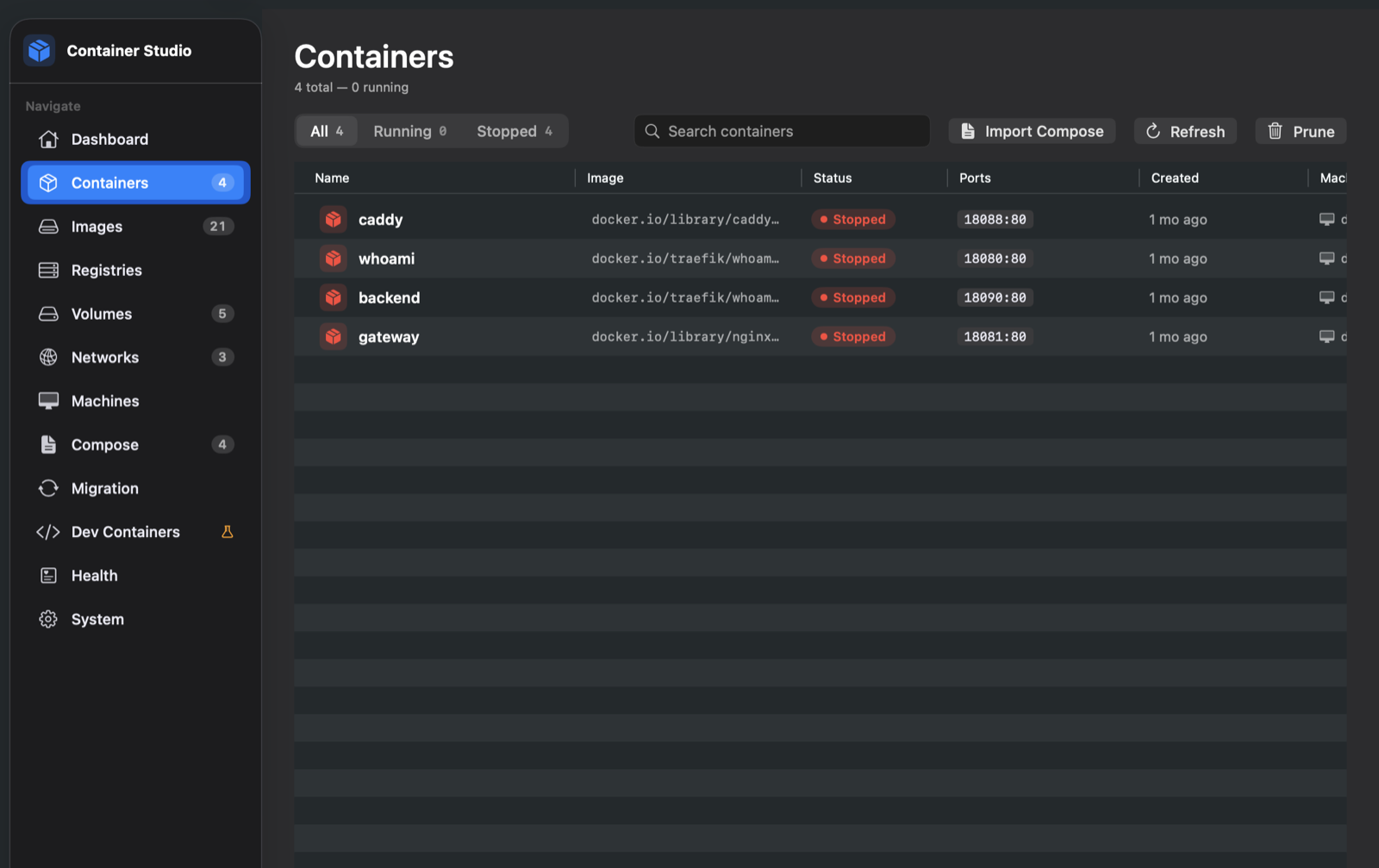
Container Studio listing Apple containers with status, ports, filters and per-row actions
Free inspection, forever One-time license, works offline Reversible Docker migration Notarized & sandboxed shell-free automation
Why Container Studio

You moved to Apple's runtime.
Your tools didn't.

Apple Container is fast, native and built into macOS 26 — but it's a CLI. Container Studio gives it the full desktop experience, without reinventing the engine.

Native runtime, native app

Everything runs against the Apple Container CLI on your machine — no daemon replacement, no proxy layer. A real SwiftUI + AppKit app for Apple Silicon Macs, with the polish you expect from one.

The whole workflow in one window

Containers, images, volumes, networks, registries, machines, compose stacks, health and system — 12 sections with live badges, 8-tab container detail, real PTY terminal, file browser and network graph.

Migrate without gambling

The Migration Lab scans your Docker Desktop runtime, classifies every container, and only executes a plan you consented to — with journal, cutover and one-click rollback. Nothing is silently dropped.

Everything you touch daily

A complete cockpit, not a wrapper.

Every feature below is in the beta today — running against Apple Container CLI 1.x on real machines.

Deep container detail — 8 tabs

Logs with live streaming, search and export · Info · Inspect JSON · Stats · a real interactive terminal (PTY with tab-completion and Ctrl+C) · Volumes · Files with upload/download · Diff.

LogsInfoInspectStatsExec (PTY)VolumesFilesDiff
Container detail with streaming logs

Interactive exec

A genuine terminal in every container — arrow keys, tab completion and Ctrl+C work, powered by SwiftTerm over the CLI's PTY. No web console round-trips.

SwiftTermPTY

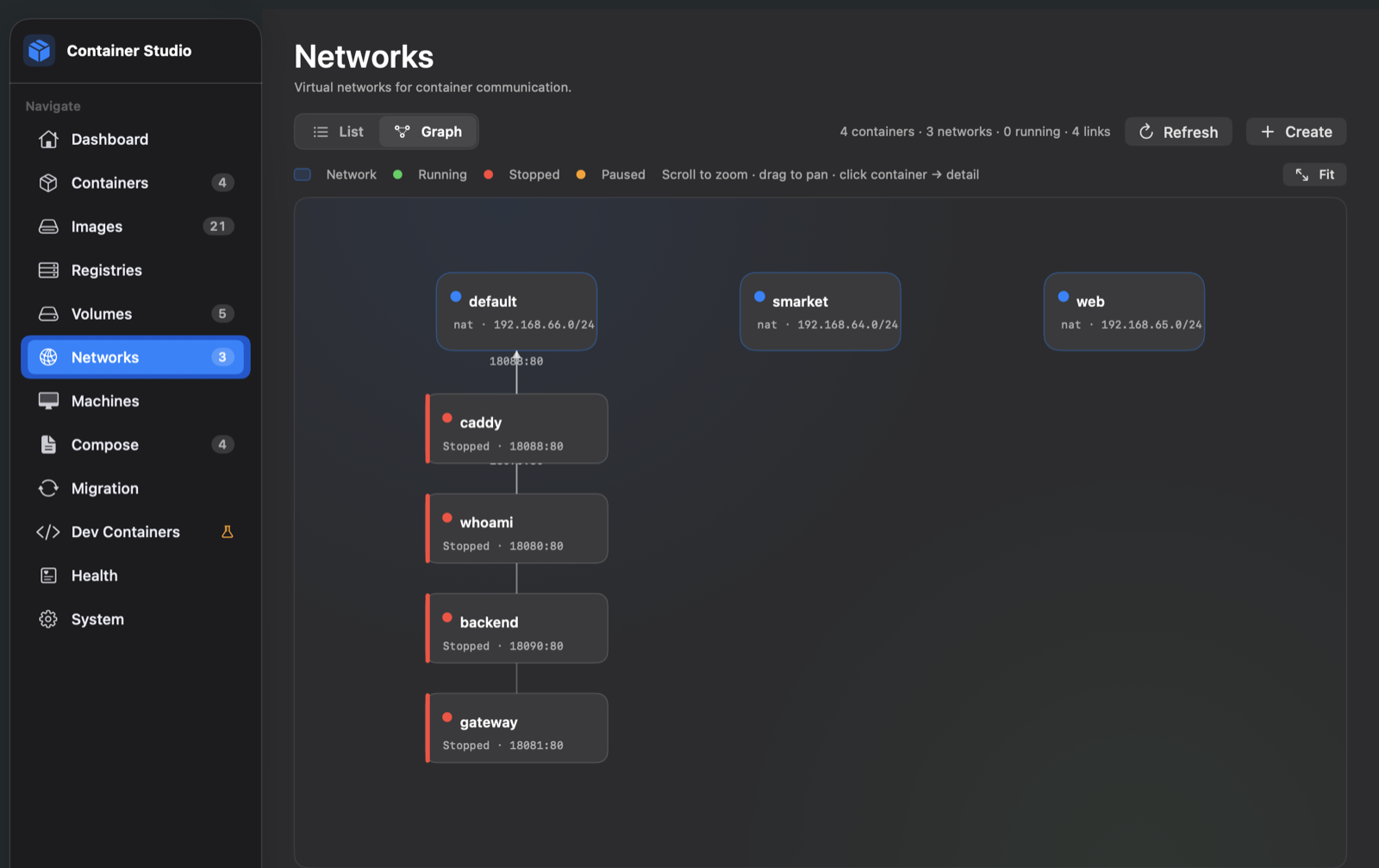
Network topology, visual

Flip the networks list into a live graph: containers ↔ networks with subnets and link counts, so you can see your topology instead of grepping inspect output.

Network graph view linking containers and networks

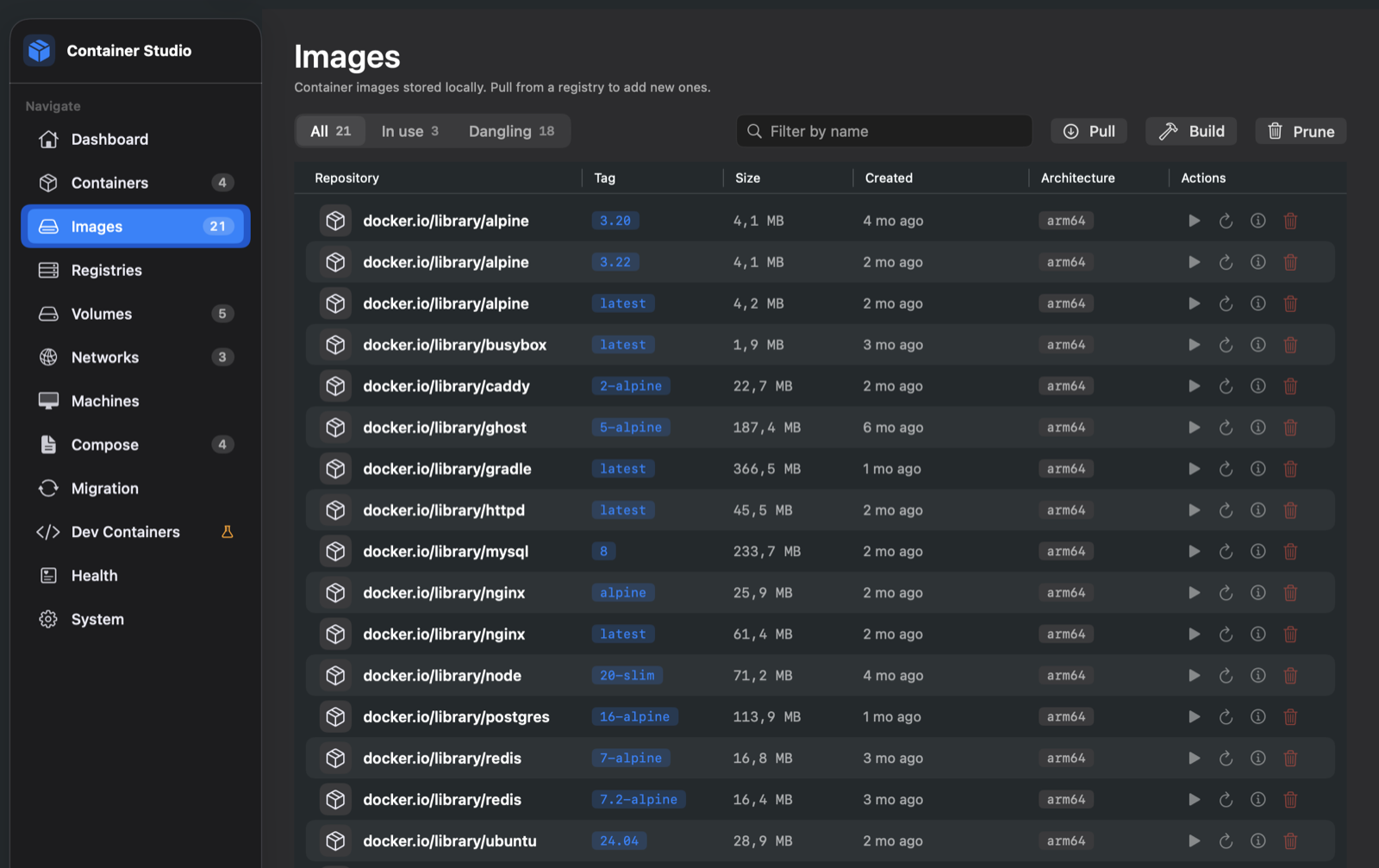
Images with layer-level pulls

Pull with per-layer progress, speed and ETA. Filter in-use vs dangling. Build, run dialogs, inspect and prune — all aware of arm64.

Images list with repository, tag, size and architecture

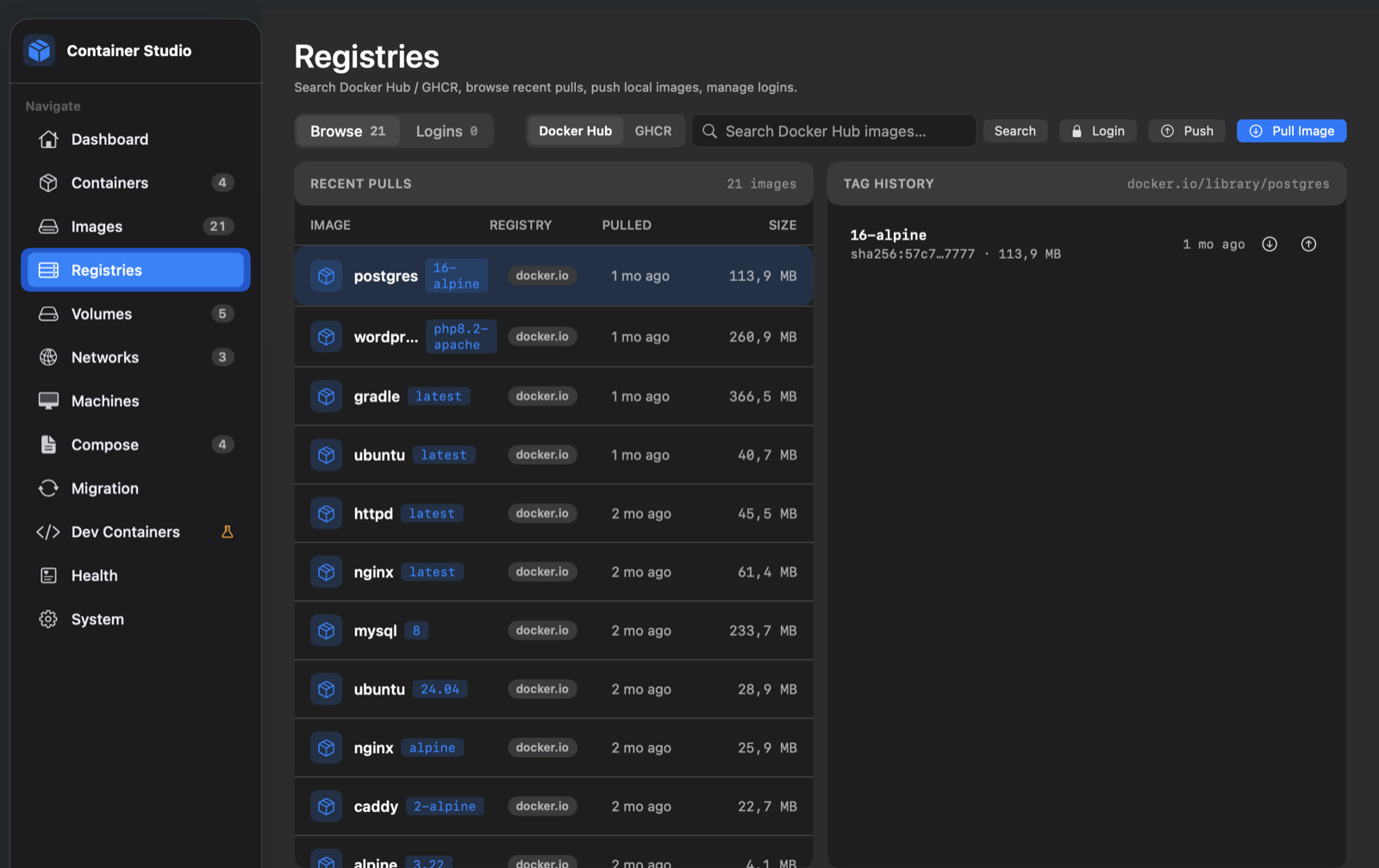
Registries, browsed natively

Search Docker Hub and GHCR with stars, pull counts and official badges. Logins live in the macOS Keychain — never in plaintext files.

Registry browser searching Docker Hub and GHCR

Machines

Persistent Linux VMs on Apple's Virtualization framework — no extra hypervisor. Create with CPU/memory/disk, SSH into them from Terminal, run commands.

Apple-onlyVirtualization

Compose, the honest subset

Import compose files, run practical stacks, save running containers back to YAML. Keys without supported semantics block execution up front — no silent surprises.

ImportSaved stacksStart on login

Health & incident log

Background watch catches unexpected stops (exit code + log snippet) and memory-threshold alerts. An incident log you can clear — never a killer.

System panel

Engine start/stop, disk usage by category, DNS domains → localhost, and a full CLI audit log of every command the app ran for you.

Dev Containers  EXPERIMENTAL

Open a .devcontainer folder, run it via Apple Container + SSH, jump straight into VS Code Remote-SSH.

Migration Lab

The safest path from Docker Desktop
to Apple Container.

A guided pipeline that inventories your Docker runtime, classifies compatibility, and executes only the plan you explicitly consent to — journal on disk, rollback one click away.

1

Inventory

Reads docker ps -a, images and volumes — select what moves.

2

Plan

Every finding classified exact / adapted / unsupported. Dry-run shows the full step chain, env var names and port remaps.

3

Report

Compatibility findings with rule IDs only — no env values or secrets ever rendered. Blockers stay blockers.

4

Consent

Explicit acknowledgment before anything runs. Optional: transfer named volumes (backup → checksum → restore), move images via OCI tar, cutover after health.

5

Execute

Runs the consented plan only; every step journaled to Application Support. Unsupported semantics block execution — never silently ignored.

6

Validate & recover

Post-migration validation, adapted-restart supervisor, and rollback with copyable manual-cleanup commands if anything can't be auto-reverted.

✦ Inventory, planning and compatibility scans are free — unlock Pro only to execute or roll back.
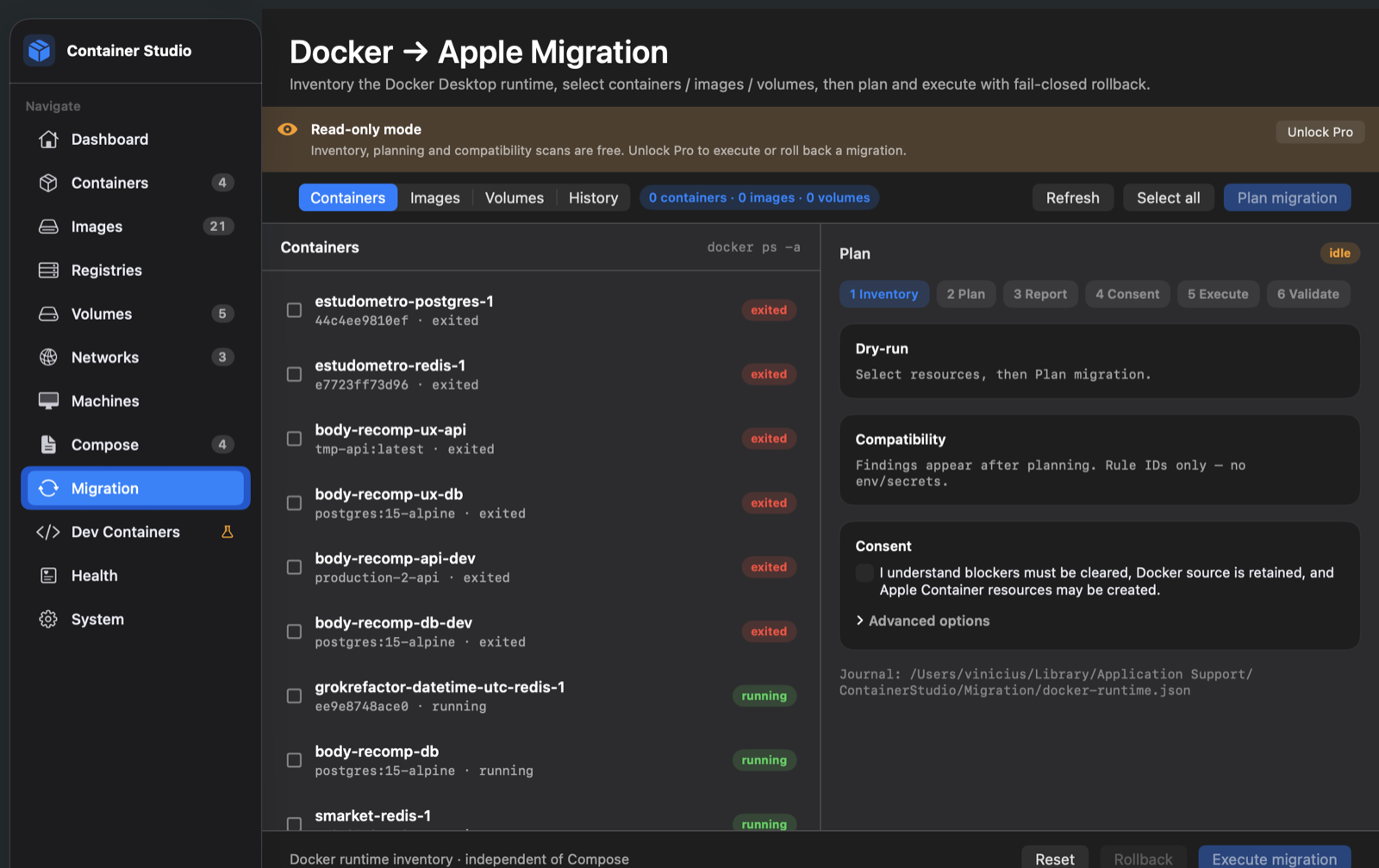
Migration Lab — Docker → Apple
Migration Lab showing a real Docker inventory on the left and the plan, dry-run, compatibility and consent panel on the right
  • Docker source is retained — nothing is deleted from Docker Desktop by the migration.
  • Named volumes travel with backup, checksum verification and restore.
  • Local images move via OCI tar (docker save → container load).
  • Cutover mode: stop Docker writers only after the Apple side is healthy.
Trust by design

Private by default. Verified offline.

Your containers, volumes and env vars never leave your Mac. The licensing service never sees them — and barely sees you.

Telemetry is opt-in — and off

Only 9 allowlisted, aggregate events (like migration_plan_generated). No container names, no paths, no env vars, no logs, no email. Random telemetry ID, separate from your install. The worker rejects any unknown field.

Licenses verify offline, Ed25519

Your Pro license is signed by the hosted worker and verified offline with an embedded public key. The private key never ships. No phone-home to keep using what you bought — refunds only apply on next online launch.

Fail-closed, twice

Every CLI command passes an entitlement gate and a runtime-compatibility gate before a process spawns. Unknown commands default to blocked. A paywall bug can never become a launched mutation.

Notarized, redacted diagnostics

Developer ID + Hardened Runtime + notarized DMGs with stapled tickets. "Export diagnostics" produces a redacted JSON — passwords stripped from command logs, crash reports kept local.

Under your fingers

Real screenshots. Real runtime.

Captured from the beta running against live Apple Container and Docker Desktop environments.

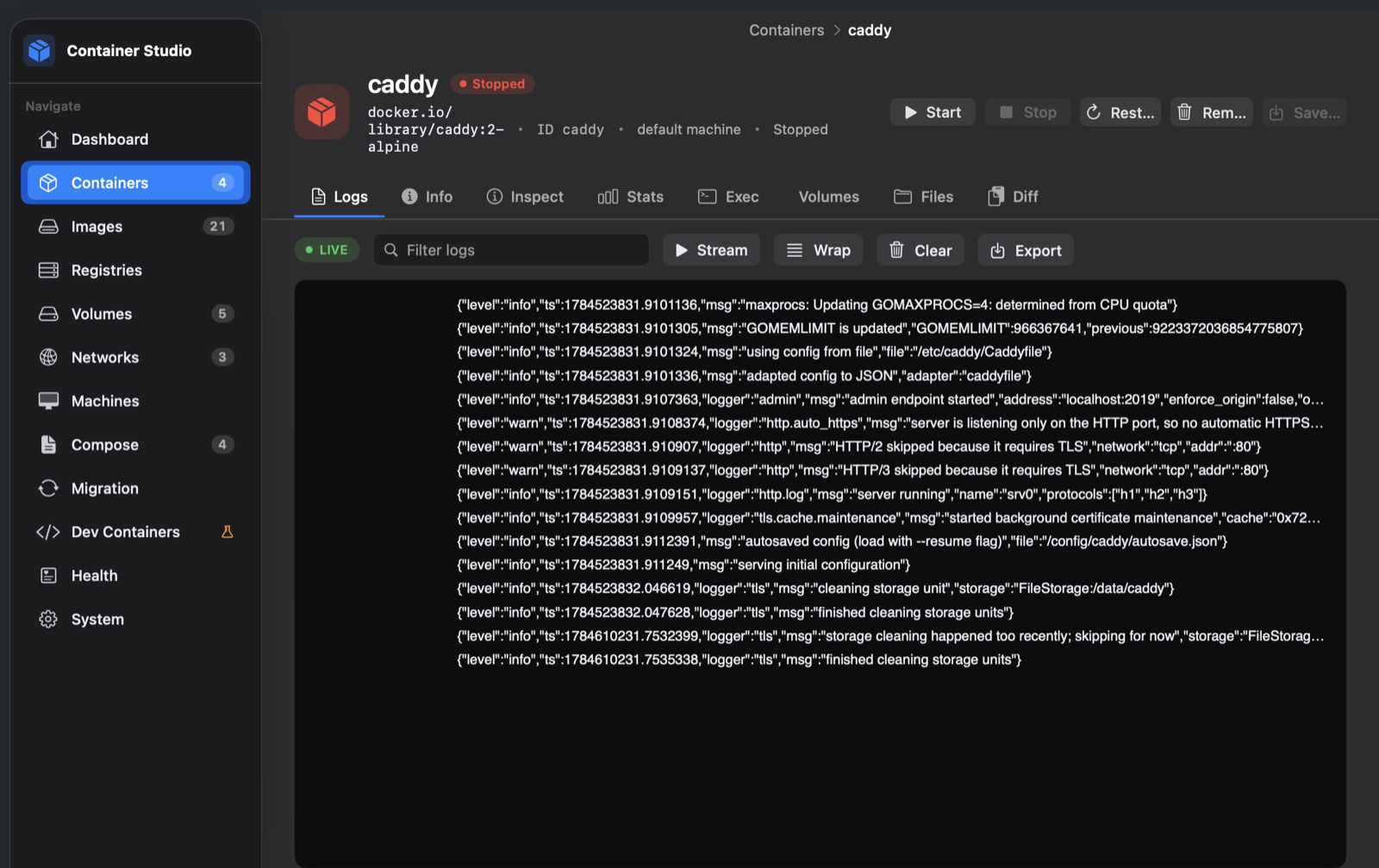
Container detail — logs
Streaming container logs
Live logs with search, wrap and export
Networks — graph
Network graph
Network topology at a glance
Migration Lab
Migration Lab inventory and plan
Docker inventory → plan → consent → execute
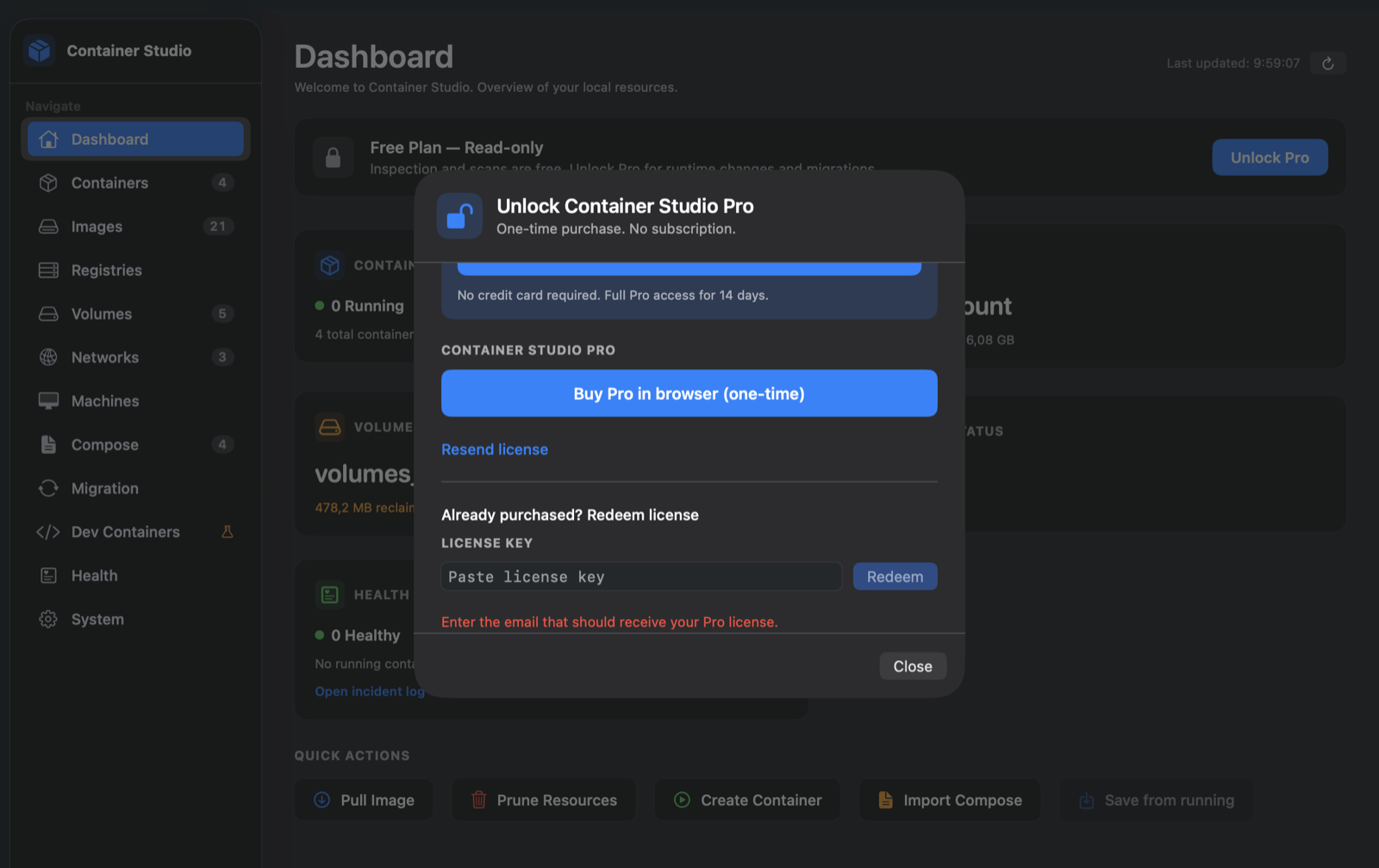
Unlock Container Studio Pro
Pro unlock sheet with 14-day trial and one-time purchase
Trial-first unlock, right inside the app
Pricing

Free to inspect. $2.90 to own.

No subscription. No seat math. $2.90 is a promotional launch price — buy during the beta and the license stays yours for life, even after the price rises.

Free

$0forever · no card

Everything you need to watch and evaluate your runtime.

  • List containers, images, volumes, networks
  • Inspect runtime, logs, stats & diff
  • Docker migration inventory & scans
  • Engine start / stop
  • Run / create / delete containers
  • Interactive exec · host automation
  • Execute migration & rollback
Download free beta
Most popular · lifetime

Pro

$2.90one-time · no subscription

Promotional launch price. Buy once in the browser, paste your key, verified offline forever. Portable across your Macs — the regular price returns when the beta ends.

  • Everything in Free
  • Start / stop / create / delete anything
  • Interactive exec in containers
  • Execute Docker migration, cutover & rollback
  • Host automation: machines SSH, Terminal
  • Auto-start Compose stacks on login
  • Priority support during the beta
Buy Pro in-app during onboarding

What it looks like

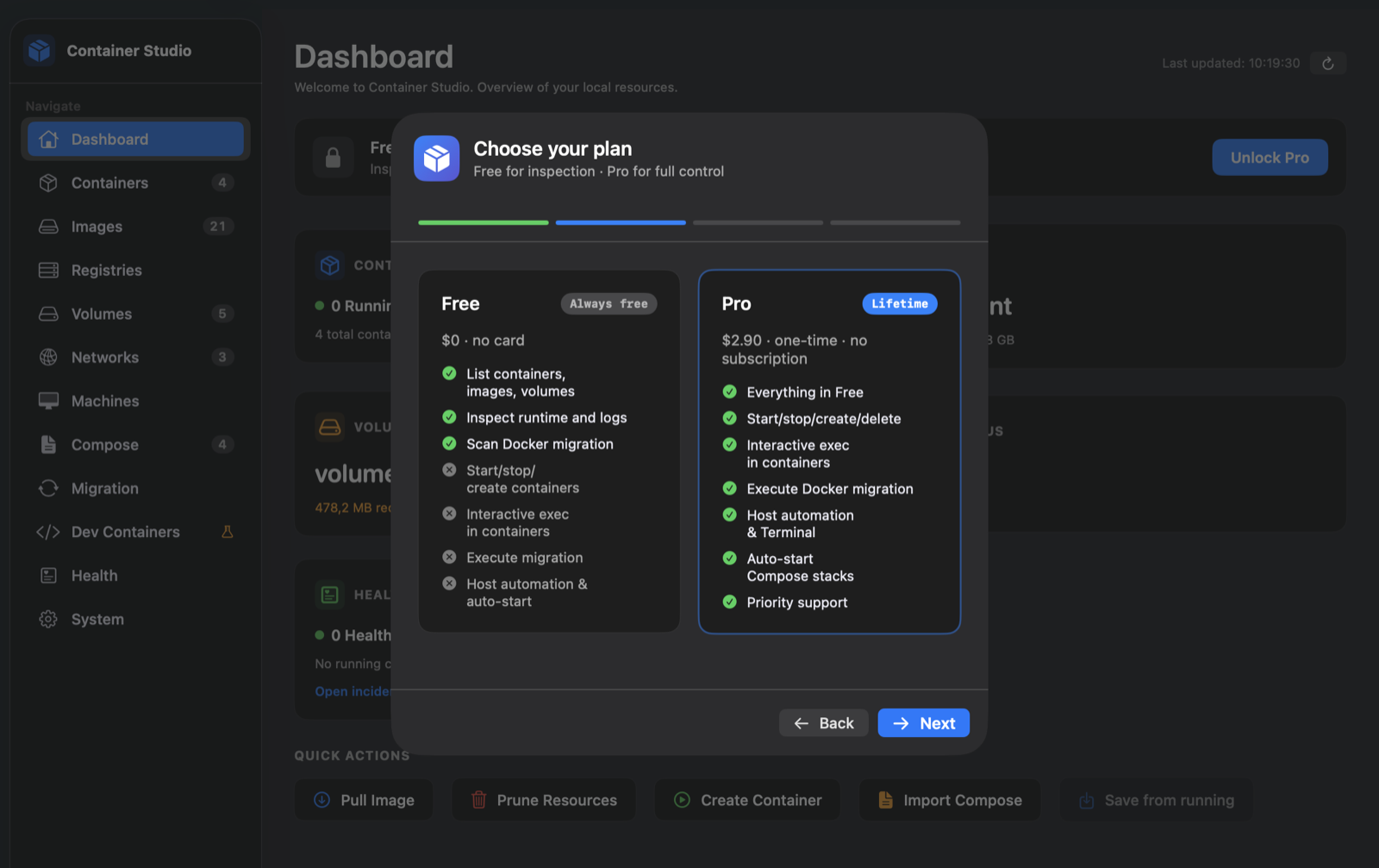
Plans, trial and redemption live natively in onboarding — no account creation, no dashboards.

Choose your plan
Onboarding plan comparison Free 0 dollars versus Pro 2.90 one-time
  • Stripe checkout in your browser
  • License key delivered by email
  • Paste once — works offline, forever

Not sure? Take 14 days of full Pro. Free, no card.

Start the trial inside the app with just an email. When it ends you drop back to Free automatically — your containers keep running and nothing is deleted.

Start your trial — download the beta
Questions, answered honestly

FAQ

What do I need to run it?
An Apple Silicon Mac (M-series) on macOS 26 Tahoe or later, with Apple Container CLI 1.0.0 or 1.1.0. The CLI installs in one line: brew install --cask container — and the app's setup wizard walks you through it on first launch.
What happens with an unknown Apple Container CLI version?
Unknown runtime versions stay fully available for inspection and migration scans, but are blocked from mutation until the compatibility matrix validates them. No surprises after a CLI upgrade.
Is this full Docker Compose support?
No — and the app says so up front. Compose import supports a practical subset and starts services as individual container run processes; keys without supported semantics block execution before anything runs. Custom networks are mapped via --network; DNS-by-service-name is not guaranteed.
Does the migration delete my Docker containers?
Never on its own. The Docker source is retained; you explicitly opt into cutover (stopping Docker writers after the Apple side is healthy), and every executed step is journaled with one-click rollback available.
What happens when the trial expires?
The entitlement changes to Free and nothing else: containers keep running, data stays. You can buy Pro later for $2.90 one-time and paste the key — verified offline.
How do I get updates?
The DMG is notarized and stapled; updates ship through Sparkle (signed appcasts) and Homebrew Cask: brew install --cask souza-vinicius/tap/container-studio. No Mac App Store during the beta.
Why $2.90?
It's a promotional beta price for early adopters — one-time, lifetime, portable across your Macs. When the beta ends, the price goes up; anyone who bought at $2.90 keeps their lifetime license. The price shown in-app during the beta is authoritative.

Run your containers on Apple's terms.

Download the beta, scan your Docker setup for free, and migrate when you're ready — with a rollback button in reach.